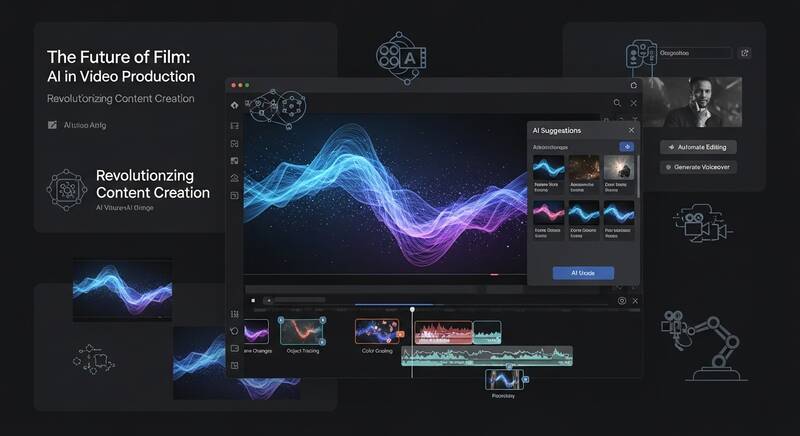
Want to create videos using AI without any video editing skills? AI video generators have made it possible for anyone to create professional-looking videos from just text or images. Whether you need marketing videos, social media content, or educational material — these AI tools can do it in minutes.
Here are the 7 best free AI video generators you can use right now in 2026.

What Are AI Video Generators?
AI video generators use artificial intelligence to create videos from text prompts, images, or scripts. They can:
- Generate videos from text descriptions
- Create talking avatar videos from scripts
- Convert text/blog posts into video content
- Add AI voiceovers in multiple languages
- Generate short clips for social media
1. Runway ML (Gen-3 Alpha)
Best for: Highest quality AI video generation
- Free: 125 credits (about 25 seconds of video)
- Quality: Best-in-class video generation
- Features: Text-to-video, image-to-video, video-to-video, motion brush
- Duration: Up to 10 seconds per clip
- Website: runwayml.com
Why it's great: Runway's Gen-3 Alpha model produces the most realistic AI-generated videos. The motion brush feature lets you control exactly how objects move in the scene.
How to Use Runway:
- Sign up at runwayml.com
- Click "Generate Videos"
- Choose Text to Video or Image to Video
- Type your prompt or upload an image
- Click Generate and wait for your video
2. Kling AI
Best for: Longer AI videos with excellent quality
- Free: 66 credits per day
- Quality: Excellent — rivals Runway in many scenarios
- Features: Text-to-video, image-to-video, lip sync
- Duration: Up to 10 seconds (standard) or 5 seconds (professional mode)
- Website: klingai.com
Why it's great: Kling AI offers generous daily free credits and produces surprisingly high-quality videos, especially for character animation and natural movement.
3. Luma Dream Machine
Best for: Quick, easy AI video creation
- Free: 30 free generations per month
- Quality: Very good for short clips
- Features: Text-to-video, image-to-video, extend video
- Speed: Generates videos in about 60 seconds
- Website: lumalabs.ai/dream-machine
Why it's great: Luma is one of the fastest AI video generators with a very user-friendly interface. Great for creating quick social media clips.
4. Pika
Best for: Creative and artistic video effects
- Free: 250 credits at signup
- Quality: Good, with unique creative effects
- Features: Text-to-video, image-to-video, video modification, lip sync
- Special: "Pikaffects" — unique transformation effects
- Website: pika.art
Why it's great: Pika's special effects ("Pikaffects") like Inflate, Crush, Melt, and Explode are unique and perfect for creative social media content.
5. InVideo AI
Best for: Full-length videos from text scripts
- Free: 10 minutes of video per week (with watermark)
- Quality: Professional-looking videos with stock footage
- Features: Script-to-video, AI voiceover, background music, stock footage
- Duration: Full-length videos (minutes, not seconds)
- Website: invideo.io
Why it's great: Unlike other tools that generate short clips, InVideo AI creates complete videos with scenes, narration, music, and transitions. Just describe what you want and it builds the entire video.
6. HeyGen
Best for: AI avatar and spokesperson videos
- Free: 1 free credit (1 minute of video)
- Quality: Most realistic talking avatars
- Features: 100+ AI avatars, 40+ languages, custom avatars
- Use cases: Marketing videos, training content, product demos
- Website: heygen.com
Why it's great: HeyGen creates the most realistic talking head videos with AI avatars. Perfect for businesses that need professional spokesperson videos without hiring actors.
7. Canva AI Video
Best for: Social media video creation
- Free: Limited generations with free Canva account
- Features: Magic Media video, text-to-video, templates
- Integration: Directly use in Canva video editor
- Templates: Thousands of video templates
- Website: canva.com
Why it's great: Generate AI video clips and immediately edit them within Canva's powerful video editor with templates, music, and text overlays.
Comparison Table
| Tool | Free Allowance | Best For | Video Length |
|---|---|---|---|
| Runway ML | 125 credits | Highest quality clips | Up to 10 sec |
| Kling AI | 66 credits/day | Daily free usage | Up to 10 sec |
| Luma Dream Machine | 30/month | Quick creation | Up to 5 sec |
| Pika | 250 credits | Creative effects | Up to 4 sec |
| InVideo AI | 10 min/week | Full-length videos | Minutes |
| HeyGen | 1 credit | Talking avatars | Up to 1 min |
| Canva AI | Limited | Social media | Variable |
Tips for Better AI Video Prompts
- Describe the scene clearly: Subject, action, environment, lighting
- Specify camera movement: "Slow pan left", "zoom in", "aerial tracking shot"
- Mention style: "Cinematic", "documentary style", "slow motion"
- Keep it simple: AI handles simple scenes better than complex ones
- Use image-to-video: Starting from an image often gives better results than text alone
FAQ
Can AI-generated videos be used commercially?
Most tools allow commercial use with paid plans. Free tier videos often have watermarks or usage restrictions. Check each tool's terms of service for specific commercial usage rights.
What is the best free AI video generator?
Kling AI offers the most generous free daily allowance with excellent quality. InVideo AI is the best for creating complete, full-length videos for free.
Can AI create long videos?
Most AI video generators create short clips (5-10 seconds). For longer videos, use InVideo AI which assembles full-length videos with stock footage, or combine multiple AI clips in a video editor.
Conclusion
AI video generation has become incredibly accessible in 2026. For the highest quality short clips, try Runway ML or Kling AI. For complete, ready-to-publish videos, InVideo AI is the best choice. And for professional talking head videos, HeyGen leads the pack. Start experimenting with these free tools and transform your content creation workflow!