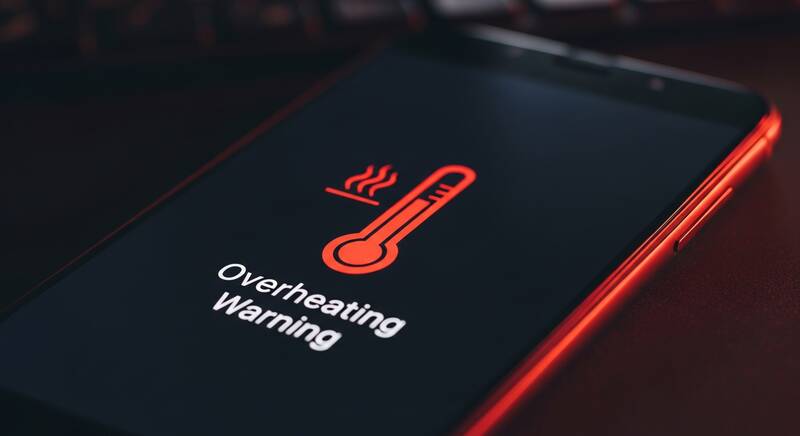
Is your phone overheating and becoming too hot to hold? Phone overheating is a common problem that affects both iPhone and Android users. While some warmth during charging or heavy use is normal, excessive heat can damage your battery, slow down performance, and even cause your phone to shut down unexpectedly.
In this guide, you'll learn why your phone gets hot and 12 effective solutions to cool it down and prevent overheating in the future.

When Is Phone Overheating a Problem?
It's important to know the difference between normal warmth and dangerous overheating:
| Normal (No Worry) | Overheating (Take Action) |
|---|---|
| Slight warmth during charging | Phone is too hot to hold comfortably |
| Warm during gaming/video | Overheating warning message appears |
| Warm during updates | Phone shuts down automatically |
| Warm in direct sunlight briefly | Camera flash disabled due to heat |
Why Does My Phone Overheat?
- Direct sunlight exposure — especially on car dashboards
- Heavy gaming for extended periods
- Too many apps running in the background
- Charging while using the phone intensively
- Thick or insulating phone case trapping heat
- Software bugs causing excessive CPU usage
- Malware running hidden processes
- Old or damaged battery
- Poor cellular signal — phone works harder to find signal
- Brightness set too high
Solution 1: Remove Your Phone Case
Phone cases, especially thick protective cases, can trap heat and prevent proper cooling:
- Remove the case when your phone feels hot
- Let the phone cool down in open air
- Consider switching to a thinner case or one with ventilation
- Avoid leather and silicone cases during summer months
Solution 2: Close Background Apps
Background apps consume CPU power and generate heat:
On iPhone:
- Swipe up from the bottom and pause (or double-click Home button)
- Swipe up on apps to close them
On Android:
- Tap the Recent Apps button (square icon)
- Swipe away apps or tap "Close All"
Solution 3: Reduce Screen Brightness
High screen brightness generates significant heat and drains battery:
- Enable Auto-Brightness in display settings
- Manually reduce brightness to 50% or lower
- Use Dark Mode which produces less heat on OLED screens
Solution 4: Turn Off Unnecessary Features
Disable features you're not using to reduce heat generation:
- GPS/Location Services — turn off when not navigating
- Bluetooth — disable when not using wireless accessories
- Wi-Fi — turn off when using cellular data
- Hotspot/Tethering — generates significant heat
- NFC — disable when not making payments
Solution 5: Avoid Direct Sunlight
Direct sun exposure can raise your phone temperature to dangerous levels:
- Never leave your phone on a car dashboard in summer
- Keep your phone in shade or pocket outdoors
- Don't use your phone at the beach or pool in direct sun
- If overheated by sun, move to a cool indoor area — don't put it in the fridge
Solution 6: Don't Charge and Use Simultaneously
Using your phone while charging generates double the heat:
- Avoid gaming, video calling, or streaming while charging
- Let your phone charge while it's idle or in sleep mode
- Use Airplane Mode while charging for fastest, coolest charging
Solution 7: Update Your Software
Software updates often include performance optimizations that reduce heat:
On iPhone:
Settings → General → Software Update
On Android:
Settings → System → System Update
Solution 8: Check for Rogue Apps
Some apps may have bugs causing excessive battery and CPU usage:
On iPhone:
Go to Settings → Battery and check which apps use the most battery in the last 24 hours.
On Android:
Go to Settings → Battery → Battery Usage and look for apps with unusually high consumption.
Uninstall or update any suspicious apps.
Solution 9: Enable Battery Saver Mode
Battery saver reduces background activity and can help prevent overheating:
- iPhone: Settings → Battery → Low Power Mode
- Android: Settings → Battery → Battery Saver
Solution 10: Factory Reset (Last Resort)
If overheating persists and you suspect software issues:
- Backup your data first
- iPhone: Settings → General → Transfer or Reset iPhone → Erase All Content
- Android: Settings → System → Reset → Factory data reset
How to Cool Down an Overheating Phone Quickly
- Stop using the phone immediately
- Remove the case
- Turn off the phone
- Place it in a cool, shaded area with good airflow
- Fan it gently if possible
- Wait 10-15 minutes before turning it back on
Never do these:
- Don't put your phone in the refrigerator or freezer — sudden temperature change can cause condensation and damage
- Don't put it in front of AC directly
- Don't submerge it in water
FAQ
Is it normal for phones to get warm?
Yes, slight warmth during charging, gaming, or video calls is completely normal. It becomes a problem only when it's uncomfortable to hold or triggers warning messages.
Can phone overheating damage the battery?
Yes, excessive heat degrades lithium-ion batteries faster. Consistently overheating your phone can reduce battery lifespan significantly over time.
At what temperature is phone overheating dangerous?
Most phones are designed to operate between 0°C to 35°C (32°F to 95°F). Above 40°C (104°F), most phones will display warnings and may shut down to protect internal components.
Conclusion
Phone overheating is usually caused by a combination of environmental factors and software issues. By following the solutions in this guide — removing your case, closing background apps, avoiding direct sunlight, and not charging while gaming — you can keep your phone at a safe temperature. If overheating persists despite all these fixes, it may indicate a battery hardware issue that needs professional repair.