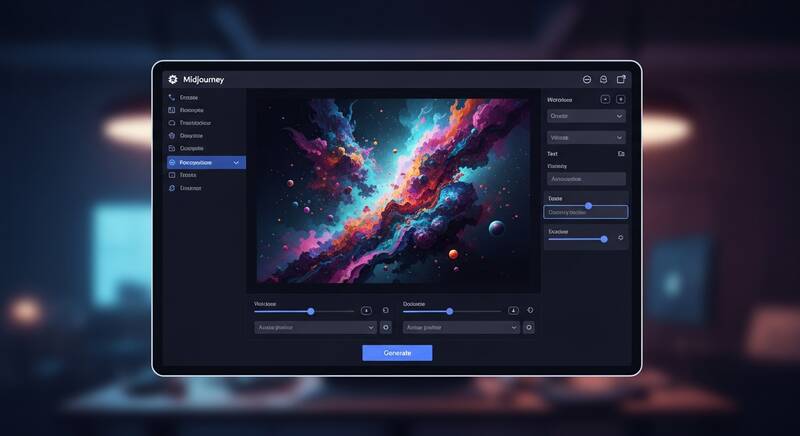
Midjourney is one of the most popular AI image generators known for creating breathtaking, artistic images. From photorealistic portraits to fantasy landscapes, Midjourney produces images that often look like they were created by professional artists. If you want to learn how to use Midjourney, this guide covers everything from getting started to writing pro-level prompts.

What Is Midjourney?
Midjourney is an AI-powered image generation tool that creates images from text descriptions (prompts). It's known for its distinctive artistic quality and stunning visual output. Key facts:
- Created by: Midjourney, Inc. (independent research lab)
- Access: Through Discord or the new Midjourney website
- Pricing: Starting at $10/month (no free tier currently)
- Latest version: Midjourney v6.1
Midjourney Pricing Plans
| Plan | Price | GPU Time | Best For |
|---|---|---|---|
| Basic | $10/month | 3.3 hrs/month | Hobbyists |
| Standard | $30/month | 15 hrs/month | Regular users |
| Pro | $60/month | 30 hrs/month | Professionals |
| Mega | $120/month | 60 hrs/month | Heavy users |
How to Get Started with Midjourney
Method 1: Through Discord
- Go to discord.gg/midjourney
- Join the Midjourney Discord server
- You'll need a Discord account (free to create)
- Subscribe to a plan at midjourney.com/account
- Go to any #newbies channel or create your own server
- Type /imagine followed by your prompt
Method 2: Through Midjourney Website
- Go to midjourney.com
- Sign in with your Discord account
- Use the web-based image creator
- Type your prompt and click Generate
Writing Your First Prompt
In Discord, type the /imagine command followed by your description:
/imagine a beautiful sunset over the ocean with golden clouds and purple sky, photorealisticMidjourney will generate 4 variations of your image. You can then:
- U1-U4: Upscale a specific image (make it larger and more detailed)
- V1-V4: Create variations of a specific image
- 🔄: Re-generate all 4 images with the same prompt
Prompt Writing Guide: Beginner to Pro
Basic Prompt Structure:
/imagine [subject] [details] [style] [parameters]Level 1: Simple Prompts
- "A cat sitting on a window"
- "Mountain landscape at dawn"
- "Coffee shop interior"
Level 2: Detailed Prompts
- "A fluffy orange cat sitting on a wooden window sill, looking out at a snowy garden, warm indoor lighting, cozy atmosphere"
- "Majestic mountain landscape at golden hour dawn, mist in the valley, pine trees in foreground, snow-capped peaks, dramatic sky"
Level 3: Pro Prompts
- "Cinematic portrait of an elderly fisherman, weathered face, warm golden hour sidelight, bokeh background of harbor boats, shot on 85mm lens, f/1.4, National Geographic style"
- "Futuristic Tokyo street at night, neon signs reflecting in rain puddles, cyberpunk atmosphere, blade runner aesthetic, volumetric fog, ultra detailed, 8K"
Essential Midjourney Parameters
| Parameter | Usage | Description |
|---|---|---|
| --ar | --ar 16:9 | Aspect ratio (default 1:1) |
| --v | --v 6.1 | Model version |
| --style | --style raw | Less AI beautification, more literal |
| --chaos | --chaos 50 | More varied results (0-100) |
| --stylize | --s 750 | How artistic vs literal (0-1000) |
| --no | --no text, watermark | Negative prompt (exclude elements) |
| --q | --q 2 | Quality (.25, .5, 1, 2) |
| --seed | --seed 12345 | Reproduce similar results |
Common Aspect Ratios
- --ar 1:1 — Square (Instagram posts, profile pictures)
- --ar 16:9 — Widescreen (YouTube thumbnails, desktop wallpapers)
- --ar 9:16 — Vertical (Phone wallpapers, Instagram stories)
- --ar 4:3 — Standard (presentations, photos)
- --ar 3:2 — Classic photo ratio
Style Keywords That Transform Your Images
Photography Styles:
- photorealistic, cinematic, portrait photography, macro photography, aerial view, long exposure, bokeh, film grain, shot on Canon 5D
Art Styles:
- oil painting, watercolor, digital art, concept art, anime style, comic book, pixel art, art deco, art nouveau, impressionist
Lighting:
- golden hour, blue hour, dramatic lighting, studio lighting, neon lights, volumetric lighting, rim lighting, backlit, chiaroscuro
Advanced Tips and Tricks
Image Reference (--sref)
Use a reference image to guide the style:
/imagine a forest landscape --sref [URL of style reference image]Character Reference (--cref)
Keep the same character consistent across images:
/imagine a warrior in a castle --cref [URL of character reference]Multi-Prompting (::)
Give different weights to parts of your prompt:
/imagine hot::2 dog::1 --v 6.1This emphasizes "hot" more than "dog".
FAQ
Is Midjourney free?
Midjourney currently does not offer a free plan. The cheapest option is the Basic plan at $10/month. They occasionally offer limited free trials.
Can I use Midjourney images commercially?
Yes, if you have a paid subscription. All paid plans include commercial usage rights for the images you generate.
Midjourney vs DALL-E vs Stable Diffusion — which is best?
Midjourney produces the most artistic and aesthetically pleasing images. DALL-E 3 is best for prompt accuracy and text in images. Stable Diffusion offers the most control and is free (open source). Choose based on your priority: aesthetics, accuracy, or control.
Conclusion
Midjourney is the go-to AI image generator for anyone who wants stunning, artistic visuals. Start with simple prompts and gradually add more detail, style keywords, and parameters as you learn. The key to great Midjourney images is experimentation — try different styles, lighting descriptions, and parameters to discover what works best for your creative vision!